Fixing Problems in a Codebase You Didn’t Write
I’ve lost count of how many times I’ve joined a project and thought:
“Okay… this is going to take a minute.”
No docs.
Weird naming.
Logic scattered everywhere.
And bugs that don’t make sense at first glance.
And honestly…
I’ve been on the other side of this too. I’ve written code like this. Maybe not intentionally, but under pressure, deadlines, or changing requirements… it happens.
At this point, I don’t expect clean code when I join a project. I expect reality.
The Situation
Most of the time, I’m not brought in to build something new.
I’m brought in because something needs to be improved, extended, or understood better. Sometimes things are broken, but more often they’re just not behaving the way the product needs anymore.
A feature behaves inconsistently. Edge cases aren’t fully understood. The original developer is gone. Requirements have changed. Deadlines are tight.
And the worst part is you don’t have time to “do it right”.
First Mistake: Trying to Understand Everything
Early in my career, I made this mistake a lot. I would try to understand the entire codebase before touching anything.
That sounds responsible, but it’s also a great way to waste days.
Now I do the opposite. I focus only on the problem in front of me.
Step 1: Reproduce the Behavior (Always)
Before touching code, I make sure I can reproduce the behavior consistently. Sometimes it's a bug, sometimes it's just something not behaving the way the product expects.
If I can’t reproduce it, I’m guessing. And guessing in a messy codebase is dangerous.
Sometimes this alone takes time, especially when the issue depends on specific user states, backend responses, or timing issues.
But once I can reproduce it reliably, everything changes. Now I have something concrete to work with.
Step 2: Understand the Real Flow
One thing I’ve learned is that the code rarely behaves the way it was originally designed.
So I don’t trust the structure. I try to understand how the system actually behaves in practice.
Breakpoints, logs, temporary prints if needed.
In iOS, this usually means following the flow from View → ViewModel → Service → Network, watching how data mutates along the way, and identifying where assumptions break.
I’m not just looking for where it breaks. I’m trying to understand how data flows through the system and where those assumptions stop holding.
A lot of issues come from hidden side effects or duplicated logic, not from complex algorithms.
Step 3: Don’t Refactor Yet
This is where a lot of engineers go wrong. You see messy code and your instinct is to clean it up first.
Don’t.
Refactoring before understanding the problem is risky. You might break something unrelated, change behavior you didn’t fully understand, or introduce new issues.
At this stage, I prioritize minimal, safe changes. Fix first. Clean later.
Step 4: Make the Change Safely
When I understand what’s going on, I focus on making the smallest change that moves the system in the right direction.
Especially under pressure.
Even if the architecture isn’t ideal, I’m not trying to redesign everything in that moment. I’m trying to improve behavior, avoid side effects, and ship something reliable.
Sometimes that means fixing a bug. Other times it means extending behavior that was never designed for what it’s doing now.
Either way, the goal is the same: move things forward without breaking everything else.
Step 5: Leave the Code Better Than You Found It
Once the issue is fixed and stable, then I look for small improvements. Not a full rewrite, just things like renaming unclear variables, extracting duplicated logic, adding guard clauses, or leaving comments where the logic is non-obvious.
Small wins. Over time, they compound.
Real Talk: Not Every Codebase Can Be “Cleaned”
Sometimes the codebase is too far gone. Or the timeline doesn’t allow it. Or the product is still evolving too fast.
In those cases, your job is not to make it perfect. Your job is to make it work reliably.
That’s it.
What I’ve Learned
Working in someone else’s codebase is less about writing code and more about making decisions under constraints.
Where to spend time. What to ignore. What not to touch. When “good enough” is actually the right call.
Most of the work isn’t about fixing bugs.
It’s about helping a system evolve without losing stability.
Clean architecture is great, but in real-world projects, pragmatism wins.
Every time.
If I Had More Time…
If the project allows it, I’ll eventually introduce better boundaries like modules, protocols, or layers. I’ll add test coverage around critical flows and gradually move toward a more maintainable structure.
But that’s phase two.
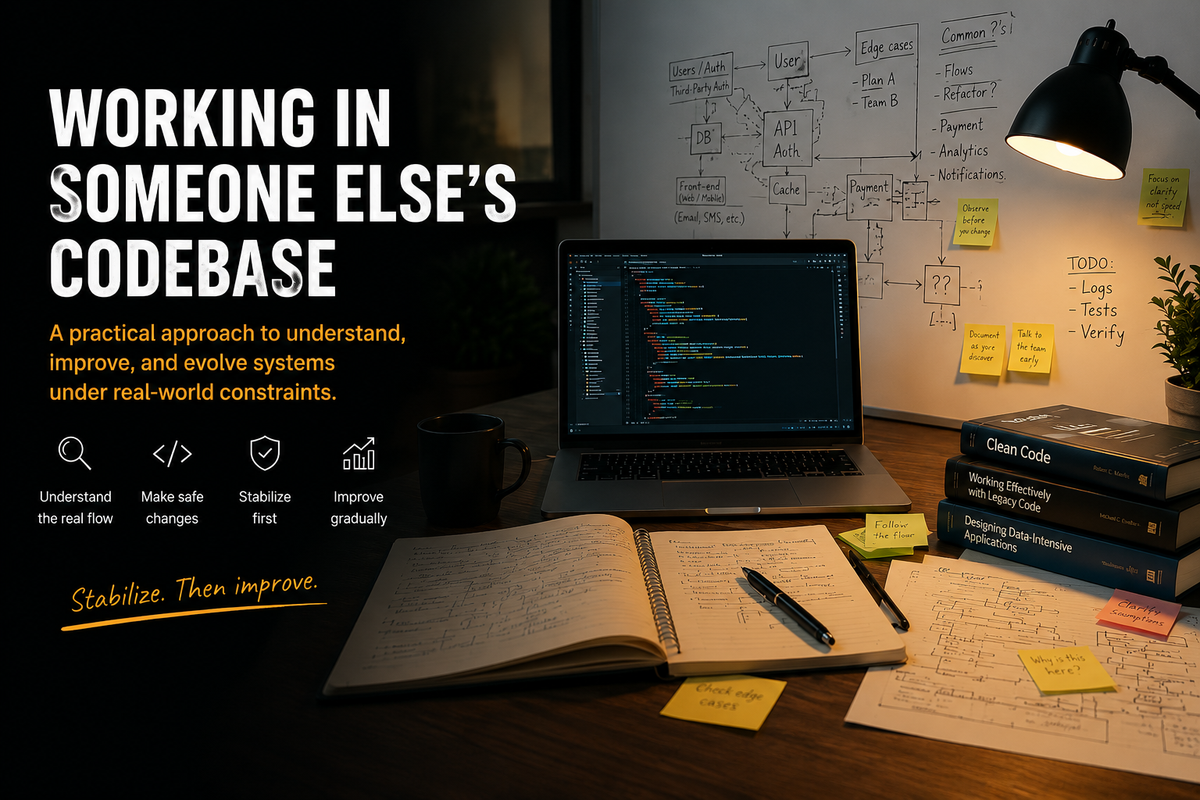
First, you stabilize. Then you improve.
That’s usually how I approach messy codebases.
Not perfect, but it moves things forward without making them worse.
And most of the time, that’s exactly what the project needs.